Grant Mind

From scattered information to organised knowledge

Capture, organise and reuse everything your team learns throughout the Horizon Europe lifecycle, so knowledge is never lost and always easy to find.

The challenge

Valuable knowledge shouldn't disappear after it is produced. Research teams generate ideas, meeting notes, documents, links and decisions every day. But when information is scattered across notebooks, emails, chats and files, it becomes difficult to find, reuse or build upon. Valuable knowledge is lost, duplicated or forgotten, slowing down collaboration and increasing the risk of repeating the same work.

Retrieval

Finding information

Reuse

Reusing existing knowledge

Sharing

Sharing knowledge

Tooling

Having the right tools for the right job

Our solution

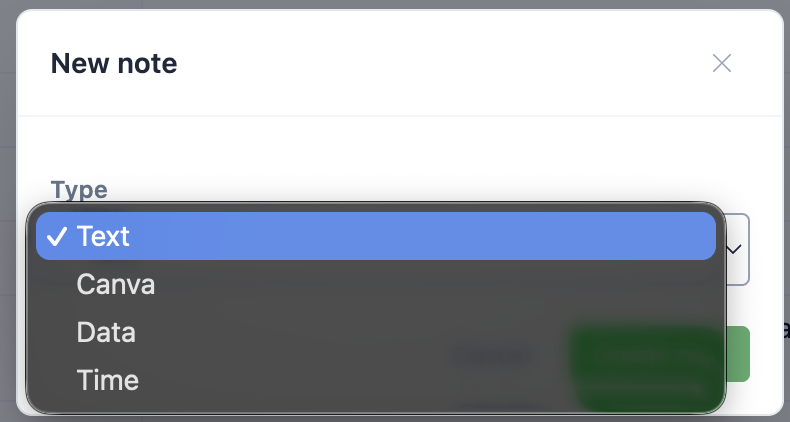
Grant Mind capture interface with folders and notes

Capture everything

Collect ideas, meeting notes, lists, links and project information in the format that best fits your needs.
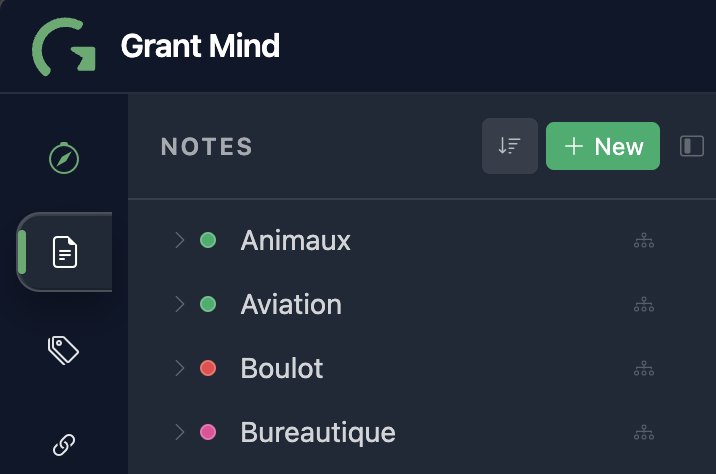
Grant Mind connected knowledge workspace

Keep everything connected

Organise knowledge into a structured workspace with folders, tags or links. Information is always easy to navigate and understand.
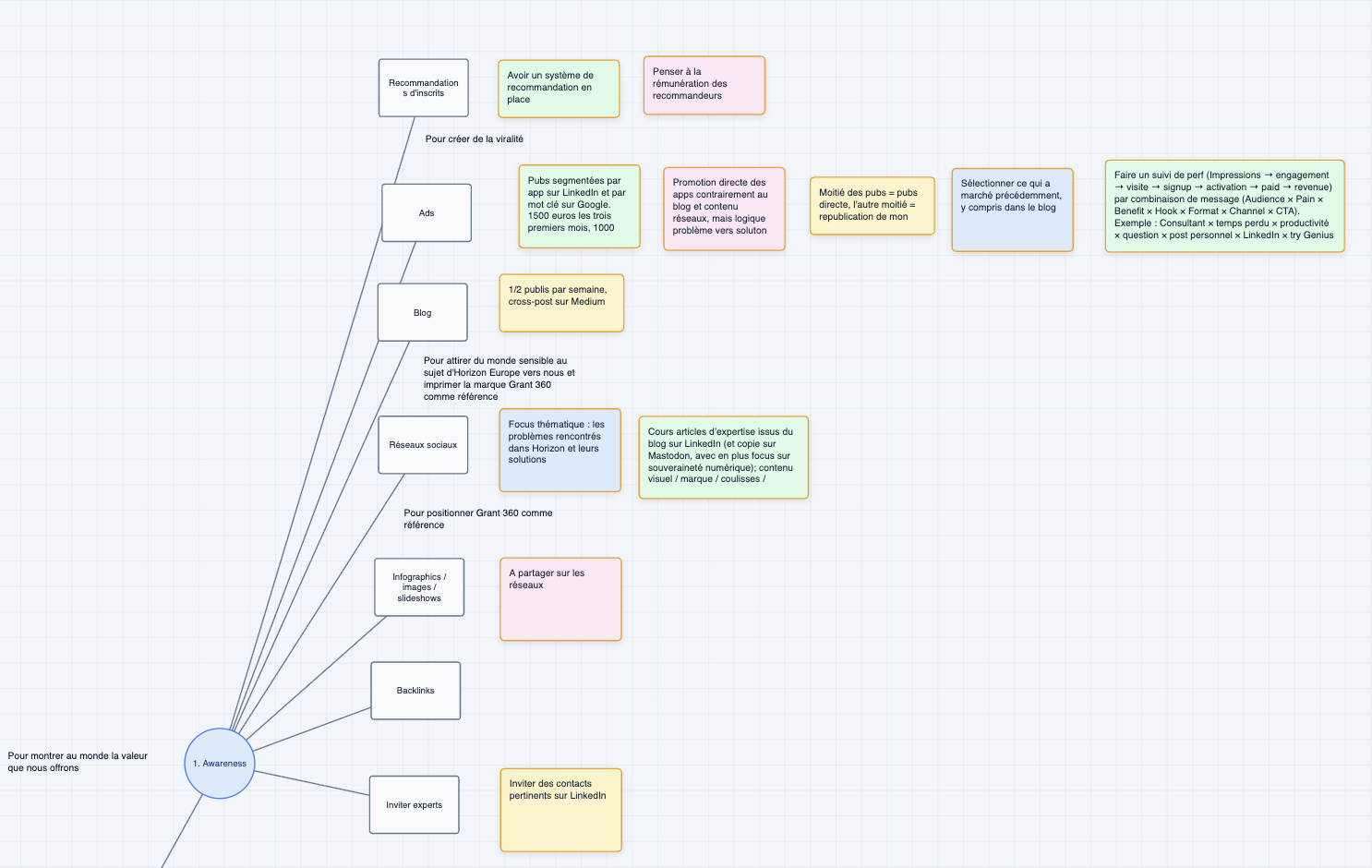
Grant Mind view modes for structured notes

See it how it should be

Explore your knowledge in the most relevant view mode : text, calendar, Kanban, timeline, table or canvas.
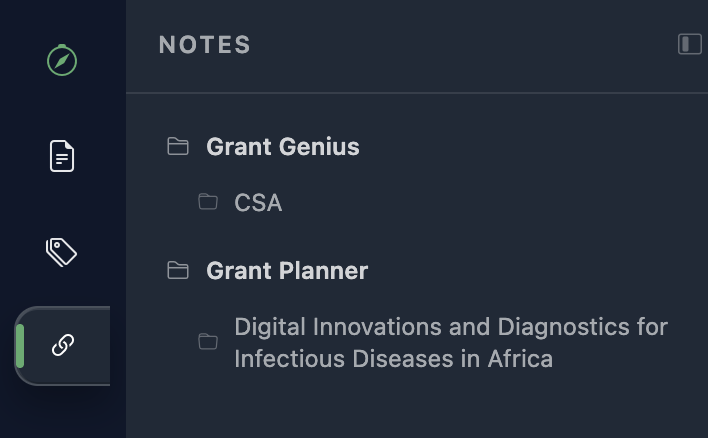
Grant Mind notes integrated with proposals and projects

Integrate your notes with your proposals or projects

Direct links with Grant Genius and Grant Planner so that your notes are linked with what counts.
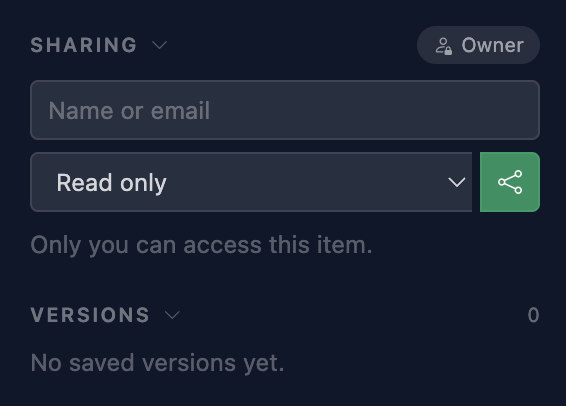
Grant Mind collaboration and version control

Collaboration & version control

Keep notes private or collaborative; assign editors/readers.
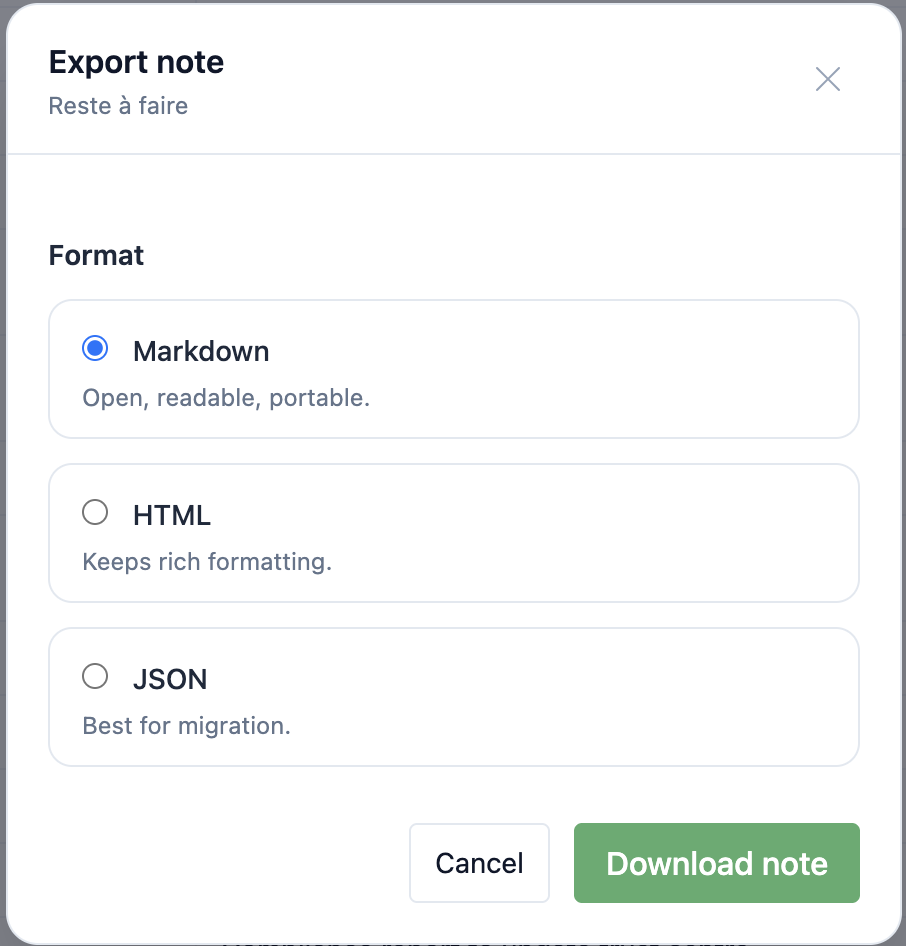
Grant Mind open exports and web clipper

Open exports & web clipper

Export to .md, .docx, .html and .pdf, and save web pages or excerpts with metadata straight into your notes.

Tags, folders and fast filtering

Keep it safe and private

Every note is encrypted, fully hosted in the EU, and you manage access.

Who it is for

How it works

  1. 01

    Open Grant Mind anywhere

    Access it from any Grant360 application—your notes are available where you work.

  2. 02

    Capture a note

    Write and save instantly. Optionally add metadata: tags, folders, linked apps/entities.

  3. 03

    View or search

    Browse notes via list, table, Kanban, or calendar views—or use powerful local search and filters.

  4. 04

    Invite collaborators

    Keep notes private or share selectively. Grant read or edit rights per note.

  5. 05

    Export when needed

    Export to Markdown, DOCX, HTML, or PDF—no lock-in.

Try a free tool

Register to our newsletter and in exchange check if you are capable of managing your project's knowledge.

FAQ

What is Grant Mind? Click to reveal the answer What is Grant Mind? Grant Mind is the notetaker that comes with all Grant 360 apps. Click to close
What’s the added value of using Grant Mind? Click to reveal the answer What’s the added value of using Grant Mind? Grant Mind provides several note types, one for each need: text, data, time or canvas. You can organise them in folders, including journal folders to track notes over time or manuscript folders if you plan to write a book or long document. You can also use tags to organise your notes. Notes can be displayed in different modes. There is a perfect integration of Grant Mind with other Grant 360 tools. Click to close
Does it support consortium collaboration? Click to reveal the answer Does it support consortium collaboration? Yes — contribution, comments, or reviewer mode, and read-only seats, defined at the note or folder level. Click to close
Can I work offline? Click to reveal the answer Can I work offline? Yes — there’s an offline mode. Your changes sync when you reconnect, or on demand. Click to close
Is our data safe? Click to reveal the answer Is our data safe? Yes. Your data is hosted in the EU and encrypted at rest and in transit. We’re GDPR-aligned and built with European technology for strong data sovereignty. Click to close
Is there a web clipper? Click to reveal the answer Is there a web clipper? Yes. Capture pages or excerpts with source metadata. Collected data follows GDPR best practices and can be reviewed before saving. Click to close
What about audio notes, transcription, and summaries? Click to reveal the answer What about audio notes, transcription, and summaries? Audio can be captured, transcribed, and summarised. Content is processed under our GDPR-first policy and not used to train external models. You control retention of the original audio. Click to close
Do you keep a version history? Click to reveal the answer Do you keep a version history? Yes. Full versioning with diffs and restore. An audit trail records who changed what and when. Click to close
Do you provide Artificial Intelligence (AI) features? Click to reveal the answer Do you provide Artificial Intelligence (AI) features? For this app, we have made the conscious choice to not provide AI features. We believe Grant Mind should be where you organise your knowledge your own way, without relying on AI. Click to close
Can I use it for free? Click to reveal the answer Can I use it for free? Grant Mind is provided with any paid subscription to any Grant 360 paid app. Click to close
Do I own the intellectual property of my notes? Click to reveal the answer Do I own the intellectual property of my notes? Yes — you own your notes. We don’t access your content, and it remains encrypted. Click to close
Am I locked in? Can I export my notes? Click to reveal the answer Am I locked in? Can I export my notes? No lock-in — export to Markdown, HTML or JSON and continue in your preferred tools. Click to close

Comparison: Grant Mind vs Notion, OneNote, Evernote

CriteriaGrant MindNotionOneNoteEvernote
Markdown-first editor Rich text with MD shortcuts Rich text; no native Markdown Rich text; limited MD support
Multiple views (list / table / Kanban / calendar / graph) List, table, Kanban, calendar (no native graph) Notebook/pages; no Kanban/calendar views List/table; no Kanban; calendar link
Wiki-links & knowledge graph Backlinks; no graph view Internal links; no backlinks/graph Note links; no graph
Audio capture → transcription → summary Audio embeds; AI summary (add-on) Audio recording; no integrated transcription/summary Audio recording; no integrated transcription/summary
Tags & folders with fast local search Tags (properties) & hierarchies; cloud search Sections/pages, basic tags; search Tags & notebooks; fast search
Attach notes across Grant360 apps/entities
Collaboration & version control Granular sharing; page history Notebook sharing; page/page history Sharing; note history (paid tiers)
Open exports & web clipper MD/HTML/PDF + web clipper PDF, .onepkg + web clipper ENEX/HTML/PDF + web clipper
Sovereignty & offline (EU hosting, PWA) Cloud-hosted; limited offline Cloud + desktop apps; offline supported Cloud-first; offline on paid tiers
Granular access controls (per note/folder) Per page/database roles Per notebook/page Per note/notebook (team plans)
Markdown-first editor
Grant Mind Yes
Notion Rich text with MD shortcuts
OneNote Rich text; no native Markdown
Evernote Rich text; limited MD support
Multiple views (list / table / Kanban / calendar / graph)
Grant Mind Yes
Notion List, table, Kanban, calendar (no native graph)
OneNote Notebook/pages; no Kanban/calendar views
Evernote List/table; no Kanban; calendar link
Wiki-links & knowledge graph
Grant Mind Yes
Notion Backlinks; no graph view
OneNote Internal links; no backlinks/graph
Evernote Note links; no graph
Audio capture → transcription → summary
Grant Mind Yes
Notion Audio embeds; AI summary (add-on)
OneNote Audio recording; no integrated transcription/summary
Evernote Audio recording; no integrated transcription/summary
Tags & folders with fast local search
Grant Mind Yes
Notion Tags (properties) & hierarchies; cloud search
OneNote Sections/pages, basic tags; search
Evernote Tags & notebooks; fast search
Attach notes across Grant360 apps/entities
Grant Mind Yes
Notion No
OneNote No
Evernote No
Collaboration & version control
Grant Mind Yes
Notion Granular sharing; page history
OneNote Notebook sharing; page/page history
Evernote Sharing; note history (paid tiers)
Open exports & web clipper
Grant Mind Yes
Notion MD/HTML/PDF + web clipper
OneNote PDF, .onepkg + web clipper
Evernote ENEX/HTML/PDF + web clipper
Sovereignty & offline (EU hosting, PWA)
Grant Mind Yes
Notion Cloud-hosted; limited offline
OneNote Cloud + desktop apps; offline supported
Evernote Cloud-first; offline on paid tiers
Granular access controls (per note/folder)
Grant Mind Yes
Notion Per page/database roles
OneNote Per notebook/page
Evernote Per note/notebook (team plans)